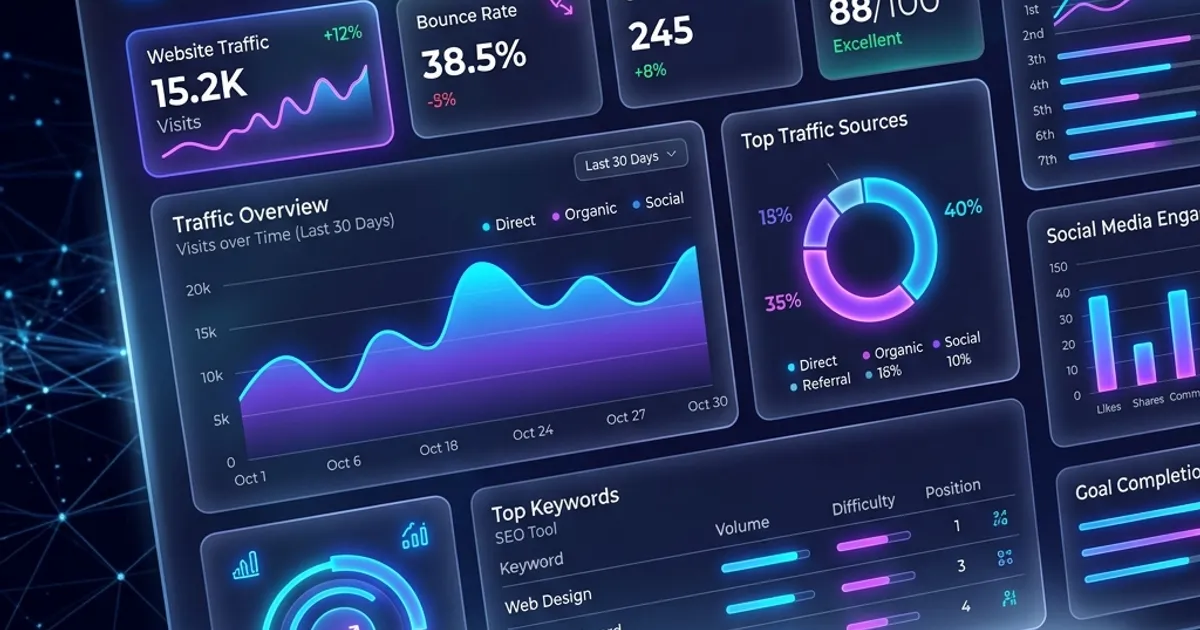
SEO tools are critical to understanding how search engines view and rank your site, but the tool itself never does the work — it just makes the problem visible faster. Selecting the right stack streamlines keyword research, competitor analysis, and site auditing, and helps you avoid guessing at what Google actually rewards.
This guide maps the tool market by category, shows where free infrastructure is genuinely enough and where paid data earns its cost, and describes how to use whatever you buy without mistaking a dashboard for a strategy.
Key Tool Categories
The tool market sorts into six categories, each answering a different question: who visits and what they do, how pages read to search engines, whether crawlers can reach them, how markup renders, which topics to write next, and where you stand against competitors. Choosing by category first prevents buying overlapping suites while the free basics sit unconfigured.
1. Analytics & Performance Tracking
- Google Search Console: The single most important free tool in SEO. It shows exactly which queries bring you impressions and clicks, your average position for each, and any indexing errors Google has flagged on your site. If you only use one tool, use this one.
- Google Analytics 4: Measures what happens after a visitor lands, bounce behavior, pages per session, and conversion paths, so you can connect ranking improvements to actual business outcomes, not just traffic numbers.
Used together, the pair answers the only two questions that matter: what Google shows you for, and what visitors do once they arrive. Everything downstream — content priorities, fix queues, reporting — should trace back to these two sources rather than to a third-party estimate.
2. On-Page SEO Optimizers
- Headline Analyzer: Helps draft high-converting, search-friendly titles by scoring word balance, length, and emotional pull, the same factors that affect click-through rate in search results.
- SEO Title Checker: Previews your title and meta description exactly as Google renders them in the SERP, including pixel-width truncation that character counts alone don’t catch.
- Keyword Density Analyzer: Prevents keyword stuffing and improves word placement by showing how naturally (or unnaturally) your target terms actually appear in the text.
- Readability Checker: Scores content clarity with the Flesch reading-ease formula — content that’s easier to read tends to hold attention longer, which is itself an engagement signal.
These run at writing time, not audit time. The cost of a truncated title or a stuffed paragraph is negligible on a draft and a full crawl cycle once it is published, so the tools belong in the editor’s tab rather than the quarterly review.
3. Technical SEO & Crawlability
Beyond content tools, a proper technical audit checks whether Google can actually crawl and index your pages in the first place. That includes verifying robots.txt isn’t accidentally blocking important sections, confirming your XML sitemap is complete and error-free, checking for broken internal links, and reviewing Core Web Vitals scores, since page experience is a confirmed ranking factor. A site can have perfect content and still rank poorly if these technical basics are broken.
Crawler tools fall into two grades: quick spot-checks for a handful of URLs, and full-site crawls that inventory every page, status code, canonical, and redirect chain. Start with the full crawl after any redesign or migration, then re-crawl after fixes to prove the issue count dropped — our technical SEO audit guide walks the classification and prioritization order.
4. Structured Data & Schema Tools
Rich results in Google (star ratings, FAQ dropdowns, breadcrumb trails) come from structured data markup, not automatically from good content. A schema validator lets you confirm your JSON-LD is error-free before it goes live, since a single malformed schema block can silently disqualify an entire page from rich-result eligibility.
Validate on a staging build, not on production, and re-validate after every template or plugin update — theme updates are the usual cause of markup that disappears without a code review. Pair the validator with Search Console’s rich-result report so you learn about eligibility losses from Google itself, not from a traffic dip you have to reverse-engineer.
5. Keyword Research & Competitor Analysis
Keyword research tools estimate what people search, how often, and how hard the existing results are to displace; competitor tools show which pages you would have to beat and where their links come from. Google’s own surfaces — autocomplete, related searches, Trends, and the queries already reporting in Search Console — cover the discovery half for free. Paid suites add maintained indexes of volume estimates and backlink profiles, which become worth paying for once you are planning content calendars rather than single pages.
Two habits keep this category honest. First, treat every volume figure as an estimate from a sampled panel, useful for comparing terms against each other and meaningless as a promise of traffic. Second, research the SERP directly before writing: if the results page is dominated by a page type you cannot realistically produce, the keyword data was never the deciding factor.
6. Rank Tracking & Reporting
Rank trackers sample where your pages sit for chosen queries over time, which turns “are we improving?” into a chart instead of an argument. Their blind spot is that positions vary by location, device, and personalization, so day-to-day movement of a position or two is noise; the useful reading is the trend across weeks, plus the set of queries sitting just below the top results.
Reporting should lean on Search Console for clicks and impressions and use the tracker only to add the queries you do not rank for yet. A report that shows movement without a corresponding change you made — a template fix, a refreshed page, new internal links — teaches the team to celebrate weather.
Tools Surface Problems, They Don’t Solve Them
Tools surface problems; they don’t solve them, because interpreting the output and acting in the right order is the actual work. A keyword tool that shows a high-volume term is useless if the content you write doesn’t match what searchers want to see, and an audit that flags 40 issues matters only once someone prioritizes which 5 count.
The practical correction is to give every tool an owner and a decision it feeds. Search Console reviews should end with a list of pages to refresh or fix; crawl reports should end with tickets sorted by root cause; keyword research should end with a brief for one page, not a spreadsheet of ideas. If a recurring report produces no decision for two cycles running, stop producing it — the tool is measuring something nobody acts on.
A practical version of that rule: keep one document where every tool output ends in a sentence — a decision made, a ticket opened, or a deliberate “no action”. If you cannot write that sentence, the finding was noise and the report can be closed rather than carried into next quarter.
Choosing Between Free and Paid
Choosing between free and paid tools comes down to which question you need answered: verification questions are covered by free infrastructure, while discovery questions — competitor keywords, link histories, volume estimates — require paid data. Buying early duplicates what Search Console already tells you; stalling means planning from intuition while competitors plan from data.
Use three tests before any purchase:
- Is the free answer genuinely missing? Indexing status, your own queries, on-page checks, and schema validation are already free. Pay only for data you cannot otherwise see.
- Does it change a decision you make monthly? A tool that feeds no recurring decision is a subscription, not an investment.
- Can one person become its owner? Tools adopted by a team with no designated operator decay into ignored dashboards within a quarter.
Buy one tool per unanswered question, not one suite per vendor pitch, and re-run the tests at renewal: a stack of three overlapping subscriptions is the most common way SEO budgets disappear without improving a single ranking.
Building a Free Starter Toolkit
If you’re starting from zero, set up Google Search Console and Google Analytics 4 first — they’re free and give you ground truth for everything else. Then layer in on-page tools as you write, and run a technical crawl quarterly to catch issues before they compound. Work the stack in order: each layer validates the one below it.
- Ground truth: Search Console plus analytics, wired to conversion events, reviewed on a fixed weekly slot.
- On-page checks: title pixels, headline scoring, density and readability, applied per page as you publish — our free tool suite covers these without signup.
- Technical verification: a quarterly full crawl, sitemap and canonical review, and the fixes tracked to completion.
- Structure: work through the recurring items in our SEO checklist so the audits happen on a calendar instead of when something breaks.
Tools surface data; they don’t replace the judgment needed to act on it correctly. Set up the free stack, learn what each source is actually telling you, and only then pay for the answers it cannot give. When you’d rather have an expert run the audit and prioritize the fixes, see our technical SEO services.


![6 Best Free Title Tag Checker Tools Compared [2026]](/images/blog/best-title-tag-checker-tools-2026.webp)